Coldwaterjohn\'s Imagery on Flickriver
Bersy/Boa: Does this screw around with your storage? Delete if it does, otherwise it is a possible solution to those wanting to parade their art for our enjoyment…
CWJ

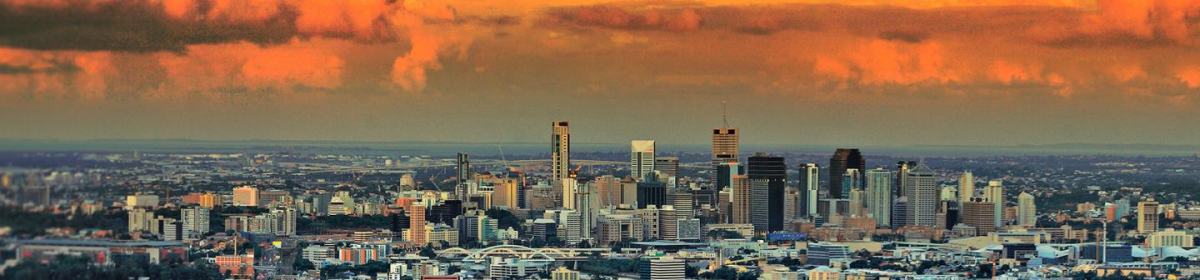
Coldwaterjohn\'s Imagery on Flickriver
Bersy/Boa: Does this screw around with your storage? Delete if it does, otherwise it is a possible solution to those wanting to parade their art for our enjoyment…
CWJ
 Boadicea's Chariot
Superb images, cwj – and the Siamese cat’s eyes are aquamarine!!
That seems to work well. I like the look of Flickriver.
CWJ. I’m trying to find the words, you’ll have to make do with “Breathtaking and stunningly beautiful”. I’m scared to ask this but, what camera do you use CWJ?
http://www.flickriver.com/photos/janh_1/
just testing
Oh wow jan, fab, I’m going to have a look there yonder.
Janh 1 – thanks. As you are probably aware, but for the benefit of others, Flickriver is a spinoff of Flickr. Really it is just software which gathers together a flickr subscriber’s imagery, and presents it in a variety of ways. I am always bemused to see that of 1800 images I have on Flickr, a technical shot of a Leica in a waterproof casing, always heads the “Interesting” list!
Valzone, For Digital photography, mainly I use a Canon EOS 50D, with Canon and Angenieux (made for Leica) lenses. If I am using 35mm film, I use a Leica R4, M3 and a 1936 IIIa, keeping different film in each.
P.S. Clicking on any of the images in flickriver will take you through to full size and commentaries.
Some beautiful photos, cwj and many familiar scenes. Any pictures of Beauly and its environs?
Wow.
(I love those you’ve fiddled with too, making them into ‘drawings’)
Sipu, thanks.
I haven’t been up to Beauly for a couple of years – there is a very good Leica dealer there, Ffordes of Beauly, where I bought my last Sherpa Pro tripod – but next time I am in the area, I will try and remember to take some shots for you. I rarely don’t have a camera with me, so it’s no hassle.
Pseu – not all that much fiddling required! It is a plug-in for Photoshop CS4 called Fractalius, by Redfield. It can produce some interesting effects, and is much used by Graphic Designer types.
Thank you CWJ, very interesting.
Thanks again cjw. I like Flickriver a lot. 🙂 Effortless, init? Just my cup of tea.
Janh1: You now know you can find me on flickr as cwaterjohn, so feel free to comment there, as and when the mood takes you. I am assuming you use a different moniker for your flickr stuff.
Ok, so I try to upload a picture in comments, as I did yesterday and failed miserably until some kind soul did it for me, but how do I know how ‘big’ pixel wise the picture is? And if deemed to big, how do I lower it?
OMG: What image software are you using to transfer pix from camera to p.c., and we will try to take it from there…
Patience, Angel! 😉
It’s my impression that people are trying to be helpful, Bearsy.
It’s always easy when you know how, but we are all willing to learn.
Coldwater
I have no idea mate, I take a picture, put in iPics or iPhotos or whatever it is called on apple or I download an image from google to impress all you folks in the cave, but to cut to the chase, I have no bleedin’ idea what I’m doing.
Cheers Bearsy, you are a top cobber, or whatever you colonials use as terms of indearment.
OMG An Apple afficionado! I suspect there will be somewhere that says “Save for Web” in Applespeak. That’s what you’ll be looking for. Alternatively, depending on the digital camera you are using, within the camera settings, you can probably select JPG, as opposed to RAW, as mode in which to save your images, and within JPG you may have an option to save Large/Medium/Small.
I don’t know my way round Apple, although Right Brain has an AirBook. If I can sneak a look at it, without her noticing, I may be able to figure it out for you, if there are no Apple users on here, who know their way round it already.
Stunning photos, CWJ, as usual; good to see that gorgeous horse again! 🙂
Thanks Bilby, I use Flickr for most of my web image collection, so that’s where you’ll find my stuff – I add to it most days, so look in when you feel so inclined!
Will do. Thank you, CWJ.
OMG,
It is possible to do it in iPhoto. Have a look at this link:-
http://discussions.apple.com/thread.jspa?threadID=1517897
Not sure if it works on a batch or just one at a time. Give it a go.
Thanks for the advice CWjohn and tocino, I’ll try and schedule a bit of brainytime and get to grips with it.
Incredible photographs, CWJ. Very pleasing on the eye.