
Been having a bit of tussle with my laptop the last couple of days. I’m a Linux man but still use Windows (i) for word processing because it has good proofing tools for documents and (ii) the Tor version of the Mozilla web browser (torproject.org) is only available as a precompiled package – I need this to open all the sites that are blocked in China.
I picked up a new HP laptop last month replete with Windows7, partitioned the drive for my Linux installation and left enough space for Windows for the necessities.
It’s a Chinese OS, so I’m still having problems trying to figure out some stuff – for example, I still can’t find the Screen Saver settings. Yes, I did try searching on line for the solution, but the English version of the Control Panel is laid out differently from the Chinese version, and even a co-worker who is a native speaker couldn’t figure out where to change it
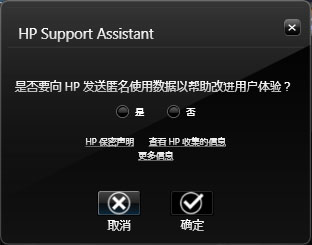
But all in all, it’s an improvement over earlier versions in so far as it looks prettier and the file index system makes file searching a lot quicker. But one annoying feature was this window kept popping up asking if I wanted to install the HPProtectTools software suite. It was like walking through WangFuJing street in Beijing, the main tourist strip, and having someone walking along side me trying to flog me a knock off Rolex. I would click NO and 30s later, it would come straight back and ask me all over again. I didn’t need a YES and NO buttons, I needed ALRIGHT I GIVE IN and PISSOFF.
I tried checking the HP website to find out what exactly I was letting myself in for and got a helpful businessspeak description that the software “provides simple deployment and management of this solution” I decided it couldn’t do too much damage and finally gave in and installed.
Did I want to activate the fingerprint recognition? No I didn’t.
Did I want to use online backup? With my internet connection?
Did I want disable my USB ports? Yes please, and the keyboard just to be absolutely certain.
Thirty minutes later I was set. My system would be secure once I rebooted. So I did.
The system finally clawed its way back to the welcome screen and when I had logged in I was greeted with a new wallpaper complements of HP and all the files on my desktop were gone, with the odd exception of a shortcut to the R statistical package. It was the same for My Documents, Videos, Downloads and Music. All the folders were empty. They seemed to have taken the approach that the best approach to stop a virus spreading through a population was to wipe out the entire population. While successful, it does impede the functionality of my laptop. I also found that my Mozilla plugins were removed and all my passwords deleted. Further testing revealed that it did this after every reboot too, although I found the files still existed on the drive, but the registry settings to these folders were screwed up.
I contacted the HP online chat assistant for a chattypoos to try and figure out what was going on and whether anyone else had experienced similar problems. I don’t generally have a problem with calling customer support and getting forwarded to a call centre in India, the only time I had problems understanding a assistant was when I called customer support in Taiwan and got forwarded to someone in the Nederlands who had emigrated from Jamaica. Having said that, asking someone in India for help with a Chinese version of Windows is like, well, asking a colleague for help with my Hindu OS.
After a lengthy exchange involving validation of my serial and product number he then tactfully asked me if I was using a ripped off version of Windows because everyone in China is a murdering thief right?. After having turned my laptop upside down a second time to read the licence key we established my copy was legal and we were ready to address my problem.
‘Oh dear, that is a problem” He typed
“yes it is” I patiently countered
“have you tried turning off any anti-virus software?” he asked
“yes I did, but the problem persists”
“I see…”
He then went quiet for a sufficiently extended length of time that I thought we had been disconnected. I needn’t have worried. Ten minutes later he typed
“are you still there?”
“yes” I replied
“I have a solution for you. Your Windows files are obviously corrupted so you need to reinstall the operating system”
“which files are corrupted?”
“I don’t know”
“So how do you know the problem is with Windows rather than the HP software”
“This is the recommended course of action”
I was beginning to wonder whether I was chatting with a Dalek.
Contrary to his recommendations I removed the HP software, rebooted, and my files came back. Piece of cake.
Exterminate Exterminate Exterminate…..

 Boadicea's Chariot
You had me chortling all the way through, CB.
It seems to me that with every issue the Windows OS puts more and more layers between the user and the “real stuff”. I speak as an old hand who was writing ISR’s for in-house ‘executives’ back in the late ’60s, early 70s
The result is that even the competent are befuddled when it comes to doing something simple like running an application on a file. It must be quite impossible for the non-technical user.
Nothing is documented properly, either.
Grr! That’s enough, you’ve got me started! I must take a walk around the back yard and calm down! 😦
yup. that’s why i prefer linux because, even though there are probably more problems setting things up, somebody else has had a similar problem and figured out how to fix it. that and the fact it’s free. our year at university was the last lot to use punchcards to learn fortran on a decrepit IDL system.
I had a chuckle, too.
Have you finally managed to persuade HPProtectTools to disappear permanently?
yes. i think it’s finally been removed.
I feel your pain. “This is the recommended course of action.” There is no getting past that one. Us non-techies have no alternative but to obey.
I dedicate this George Formby song to you and your efforts:
Now I go cleanin’ windows to earn an honest bob
For a nosy parker it’s an interestin’ job
Now it’s a job that just suits me
A window cleaner you would be
If you can see what I can see
When I’m cleanin’ windows
Oh and when you mention Linux I always think of this little fella:
Yes, Linus; he of the security blanket and wise philosophical quotations. He could teach those Windows people a thing or two.
i’d forgotten about him.
I had a similar problem with an HP printer. When I installed the driver, it also installed a load of software I did not want and a software updater. This updater caused me no end of problems. In the end I un-installed it and had to go into the registry editor to remove all traces of it. I then moved the printer to a Linux machine, where it had the drivers for this printer already installed! I just exported the printer using Samba and all the Windows machines in the house (my and Mrs FEEG’s laptop and my son’s, daughter’s and daughter-in-law’s laptops when visiting) could use it with ease.
I agree, Linux is best!
I was expecting an eye-glaze situation before tackling this post, cb, but despite my lack of IT knowledge, I was pleasantly amused at your expense. 😉
Strangely, this reminded me of an old blog by Bearsy about a certain lady in a bikini.